Route comparison · iPhone

Ask three maps. Drive the fastest.

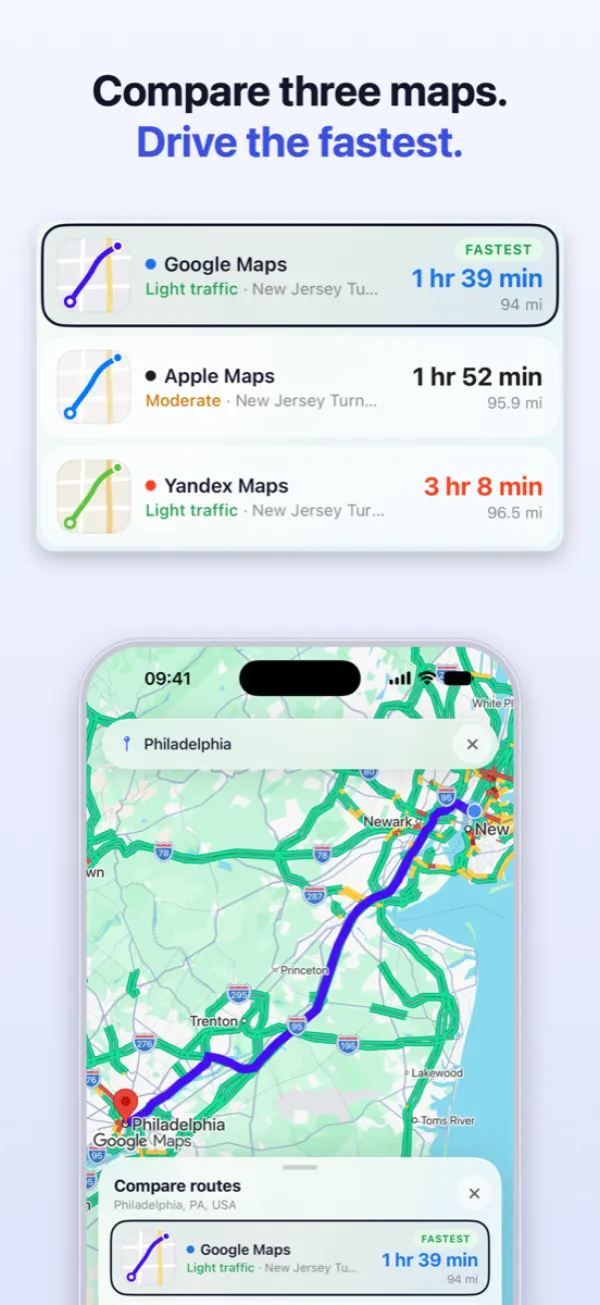
Three navigation apps rarely agree. Navigation Pro asks Google, Apple and Yandex at once and lines the answers up, so you see the difference before you set off instead of finding out on the road.
Google · Apple · Yandex Comparing routes is free iPhone · iOS 18
Three route cards for the same trip, with each provider’s arrival time, distance and traffic reading side by side
Fastest todayGoogle · 1 hr 39 min
13 min apartApple · 1 hr 52 min
One search, three routes
Turn-by-turn in the app
Switch map mid-drive
Works with the screen locked
Free to compare
How it works

Type the destination once. Get three answers.

No app switching, no re-typing the address, no losing your place. The whole trip happens in one place, from the search to the last turn.

STEP 01

Search once

Type the destination or pick it on the map. All three providers plan the same trip at the same time.

STEP 02

Compare the answers

Arrival time, distance and traffic for each one, on a single screen. The quickest today is marked.

STEP 03

Drive it right here

Pick a route and real turn-by-turn starts in this app, with voice, on that provider's own map.

Side by side

The difference is real, and it is worth knowing.

The three engines measure traffic differently and weigh it differently. Nothing is broken when they disagree — that disagreement is the whole point.

  • An hour apart on a long drive. Across town they often agree. Either way, you stop guessing.
  • Arrival, distance and traffic. Every reading on one screen, with the quickest marked.
  • Toll crossings named. Where a tolled bridge or highway on the route can be identified, the card says so before you go.
Three route cards for the same trip, with each provider’s arrival time, distance and traffic reading side by side
Live switching

Change your mind in the middle of the drive.

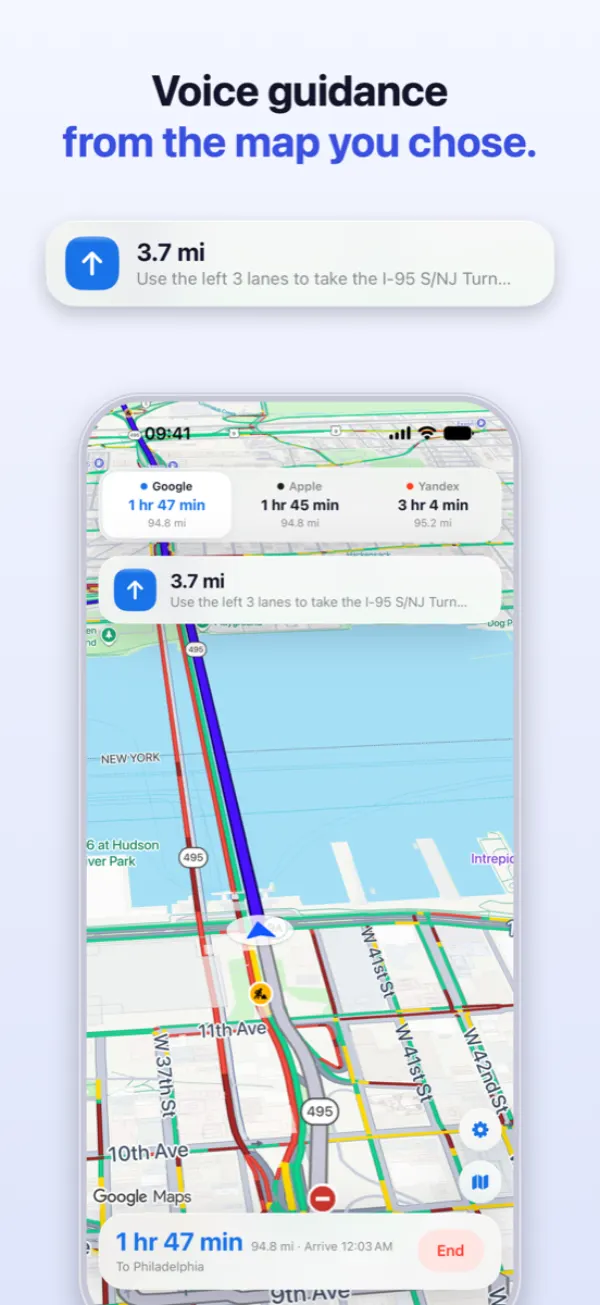
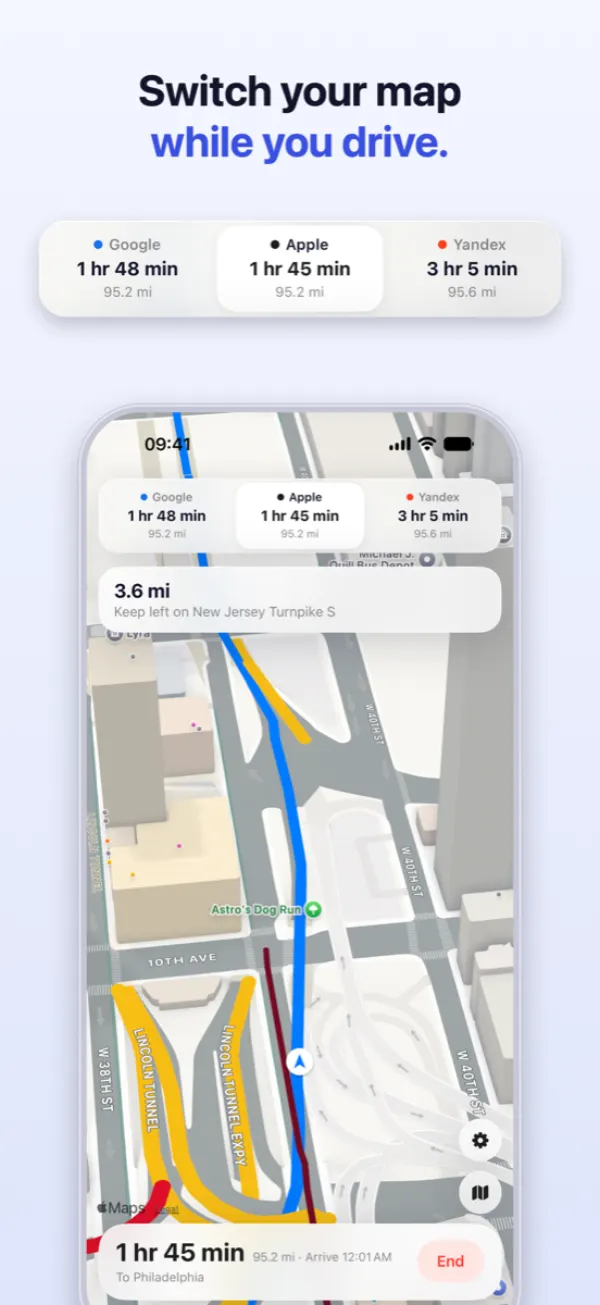
Tap another provider in the strip at the top of the screen and guidance carries on over its map, from exactly where you are. Nothing restarts and the address is never re-typed.

  • All three keep guiding. Every engine runs for the whole drive, which is why the switch is instant.
  • Each provider's real map. Google's, Apple's and Yandex's own maps are drawn in the app — you are never handed off.
  • The other two stay visible. Their live arrival times sit at the top the whole way, so you can see the gap closing.
The provider strip at the top of the guidance screen, with Apple selected mid-drive
Faster-route alerts

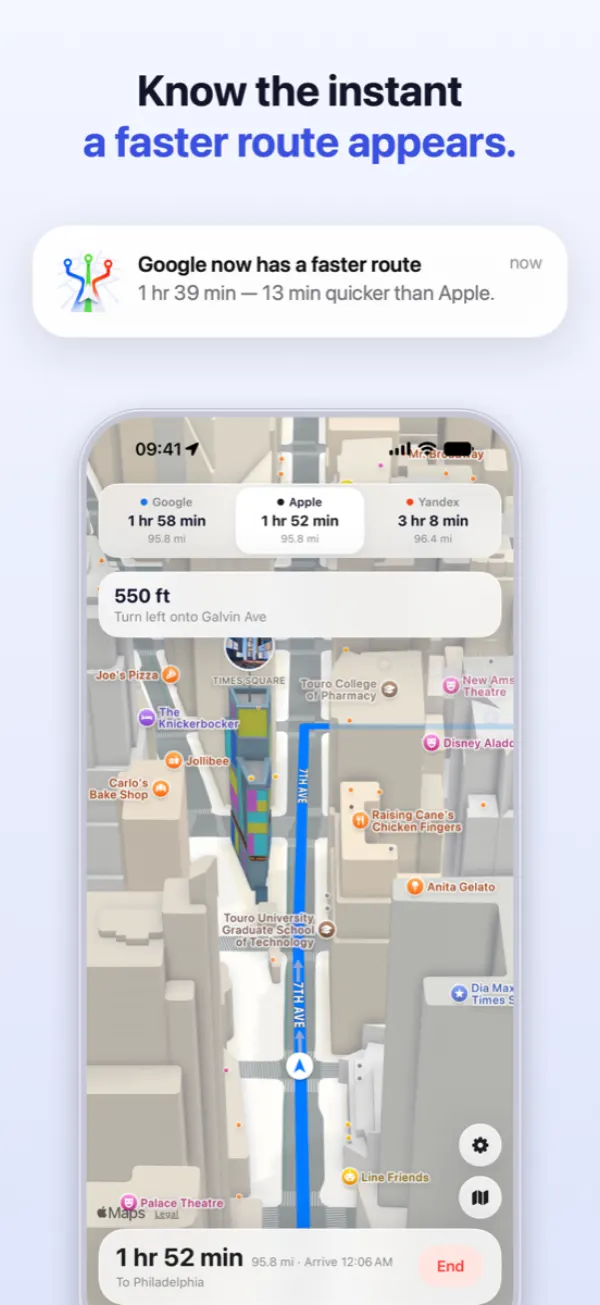
Know the instant a faster route appears.

While you drive on one map, the other two are still working. If one of them becomes materially quicker, Navigation Pro tells you by how much — and you decide whether to take it.

  • With the number attached. A gap in minutes is a decision you can make at the wheel; “a faster route is available” is a nag.
  • Only when it matters. A small wobble in one estimate is not worth an interruption at the wheel.
  • You stay in charge. Nothing reroutes behind your back. Taking the faster map is one tap, and ignoring it is none.
A notification saying another provider now has a faster route, with the difference in minutes
Built for the car

Everything a navigation app has to get right.

Three maps, one search

Google, Apple and Yandex plan the same trip together. You never open a second app to check.

Voice guidance, three levels

Off, alerts only, or full turn-by-turn. Set it once and it holds across every provider.

Keeps going, screen locked

Guidance continues in your pocket or on the dash with the display off, so the next turn still arrives.

Toll crossings named

Where the tolled bridge or highway on a route can be identified, the route card names it up front.

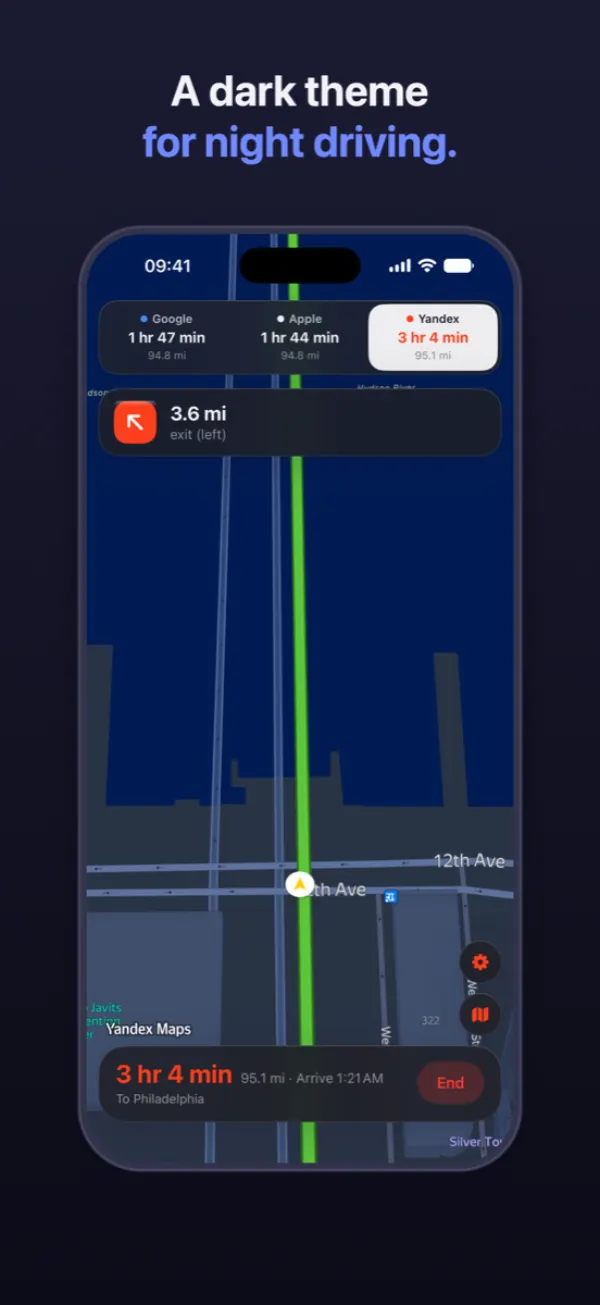
A dark theme for night

Light and dark, following your device or your own choice, on all three maps.

Six languages

English, Turkish, German, French, Spanish and Russian, including the spoken instructions.

An independent app. Three maps, no favorite.

Navigation Pro does not sell you a provider. It asks all three the same question, shows you all three answers, and marks whichever is quickest today — even when that is not the one you would have opened.

Navigation Pro is an independent app. It is not affiliated with, endorsed by or sponsored by Google, Apple or Yandex. Google Maps is a trademark of Google LLC; Apple Maps is a trademark of Apple Inc.; Yandex Maps is a trademark of Yandex.

Frequently asked

What people ask first.

Because they measure traffic differently and weigh it differently. That disagreement is the reason the app exists: on a long drive the three estimates can sit an hour apart, and seeing that before you leave is more useful than trusting whichever one you happened to open. Nothing is wrong when they differ.

No. Navigation Pro talks to each provider directly and draws each one's map itself, so nothing else has to be installed and you are never handed off to another app.

Yes. Tap another provider in the strip at the top of the guidance screen and the drive continues on that map, from where you are. All three are guiding in the background the whole time, which is why the switch is instant.

Yes, with location set to Always. If guidance stops at the first turn, location is probably set to “While Using the App” without background access, or Low Power Mode is on. Check Settings › Navigation Pro › Location.

Coverage is not identical everywhere. If a provider cannot plan the trip you asked for, its card is left out rather than filled with a guess. The other two still work.

It names a tolled bridge or highway the route uses, where we can identify it. It is a heads-up, not a price: toll prices are not available for most countries, so the app shows no amount rather than one it cannot stand behind.

Comparing routes is free and unlimited. Starting navigation is limited before you subscribe. A subscription removes that limit across all three maps, is offered weekly or yearly at the price shown for your region, and can be canceled at any time in your Apple Account settings.

Navigation Pro app icon

Stop guessing which map is right today.

One search, three answers, and the drive starts in the same app. Comparing is free.

Download on theApp Store